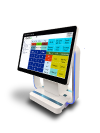
Keyboards Maintenance


Keyboards Maintenance allows you to setup and maintain a list of your APOS keyboards.


Maintenance Grid

The maintenance screen displays the currently defined keyboards in a grid format.  All fields are display-only and all modifications to keyboards must be done by selecting the item row and modifying the fields in the data entry area. Once the focus is within the grid area, you may use the arrow-up and arrow-down keys to navigate through each of the rows. All defined values for the selected item will be displayed dynamically in the data entry area. Double clicking on a row will open the keys maintenance window. This screen will allow you to define and maintain the layout and functionality of all keys associated with the chosen keyboard.


Select All

Clicking on the upper left corner of the grid will select all keyboards. To select multiple contiguous rows, select the first row then press down the SHIFT key on your keyboard and while the SHIFT key is pressed, select the last row in your range. To select multiple rows that are not contiguous, select the first row then press down the CTRL key on your keyboard and while the the CTRL key is pressed, select each subsequent rows that you want to include in the selection. Once you are done selecting all your rows, you can release the CTRL key. All data edits or option changes will be applied to all selected rows. Pressing on the Delete button while in multi-select mode will delete all selected keyboards.

Item Row Maintenance

Right clicking on any of the row numbers will display a pop-up menu that will allow you Delete, Insert or Duplicate a row. Rows may also be deleted, inserted or duplicated by using the delete, insert or duplicate buttons in the buttons area.

Column Sort

Clicking on a column header will sort the rows either in ascending or descending order, A small arrow at the top of the column will point up for ascending or down for descending order.


Data Entry

The data entry area dynamically displays the currently selected keyboard.


Keyboard Id

Enter a unique integer value to identify the keyboard. Required field. Duplicates not allowed. When modifying keyboard Ids, a warning message will be displayed indicating that any references to the keyboard will be lost when the changes are saved.

Keyboard Type

Select the keyboard type that matches your APOS device. If you change the keyboard type, a message box will be displayed to warn you that the keys may not display properly on the new keyboard layout. If you wish, you may choose to auto-convert all existing keys to match the new keyboard layout. Please note that no conversion is required between the AP02 and AP03 keyboards.


AP01

Portrait Layout. Grid size - 720 x 1280

AP02

Portrait Layout. Grid size - 800 x 1280

AP03

Portrait Layout. Grid size - 800 x 1280

AP04

Landscape Layout. Grid size - 1280 x 800

AP05

Landscape Layout. Grid size - 1920 x 1080

AP05 Light

Landscape Layout. Grid size - 1366 x 768

AP06

Landscape Layout. Grid size - 1920 x 1080


Caption

Enter the keyboard display caption. Required field. Max 25 characters.

Color

Select one of the predefined colors from the color palette to set the keyboard background color.


Hint: Placing the mouse cursor over each color square will display a tool-tip indicating the color name.

Default Keyboard

Click on the slider button to select the default keyboard. Only one keyboard can be designated as the default per keyboard type. This setting will be used to determine the initial display on the APOS device when the user presses the Register button on the GoPOS Home menu.


Buttons

The buttons area consists of the following 5 buttons:


Delete

Click on this button to delete the currently selected row or rows. A warning message will be displayed indicating that any references to the deleted keyboard or keyboards will be lost when the changes are saved. If you delete the "Default" keyboard, the first keyboard of that keyboard type, will become the new "Default".

Insert

Click on this button to insert a new row at the end of the list. All validation errors on the current row must be corrected before inserting a new row.

Duplicate

Click on this button to duplicate the keyboard as well as all keys associated with the selected keyboard. All validation errors on the current row must be corrected before duplicating the row.

Save

Click on this button to save changes. All validation errors must be corrected before saving your changes. The button will not be enabled until a change has been made.

Close

Click on this button to close the window. If any changes have been made you will be prompted to save the changes before closing the window.


Yes Button

Click on Yes to save changes and close the window. All validation errors must be corrected before saving your changes.

No Button

Click on No to discard all changes made and close the window.

Cancel Button

Click on Cancel to abort the close and return to the maintenance screen.

Import

One or more keyboards exported from one program may be imported into the same or a different program. Each keyboard saved during the export will be inserted as a new keyboard into the current program. If a key is linked to a reference that is not part of the new program, the key caption will be set to blank. The key type and function will need to be corrected on all invalid references by clicking on each blank key and re-linking the key to a valid reference within the new program.


Click on the Keyboard Import button to open the "Open" file dialogue. Select the File you want to use to import data from, and click on the Open button to verify the file. If a valid Keyboard Export file (*.kbd) has been selected, the system will attempt to import each keyboard and associated keys included in the file. Click on the Cancel button to cancel the import and close the "Open" file dialogue.

Export

One or more keyboards from one program may be exported and then imported into the same or a different program.


Select one or more of the listed keyboards and click on Keyboard Export button to open the "Save As" file dialogue. Type in the File Name and location where you want to save the keyboard export file and click on the Save button to perform the export or click on the Cancel button to cancel the export. A message will be displayed when completed indicating whether the export was successful or not.